






















COMPANY OVERVIEW
About Us

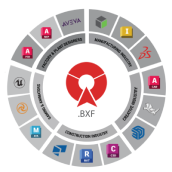
BIMDeX connects CAD, design, and BIM software, enabling seamless data exchange with its BXF toolkit and ML, ensuring no loss of geometry or metadata.

OTHER USEFUL LINKS
GLOBAL PRESENCE

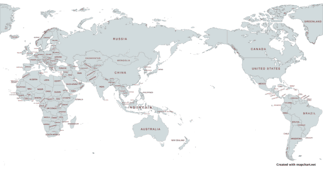
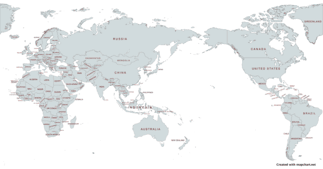
BIMDex is proud to partner with a global network of trusted resellers who help bring our innovative BIM solutions to businesses worldwide.

AMERICAS
ASIA
EUROPE
MIDDLE EAST
OCEANIA
DATA-DRIVEN ENGINEERING DIGITALIZATION
BIM Automation Tools

BIMDeX connects CAD, design, and BIM software, enabling seamless data exchange with its BXF toolkit and ML, ensuring no loss of geometry or metadata.

BIMDeX Ecosystem
BIMDeX Ecosystem
BIMDeX Ecosystem

BIMDeX connects CAD, design, and BIM software, enabling seamless data exchange with its BXF toolkit and ML, ensuring no loss of geometry or metadata.

BIMDeX solutions

Experience the power of BIMDeX solutions.

Request a free demo now and see how it can benefit your business.

BOOK A FREE CALL
Book a Free Call
Webinar
Autodesk DevCon 2026

Meet BIMDeX at Autodesk DevCon 2026 in Amsterdam. Join our sessions, see live demos of CAD-to-Revit conversion across SolidWorks, Creo, and Inventor, and talk to our team about eliminating translation loss from your BIM workflow.

Know More
LEARN
BLOG
POSTED ON:
Mar 31, 2026

When it comes to converting 

BLOG
POSTED ON:
Mar 16, 2026

Recent trends in the construction and architectural sectors have paved the way for new ideas and innovations that improve project quality and enhance team coordination. O

BLOG
POSTED ON:
Feb 18, 2026

What is essential for an industry, especially an industry like AEC? While we say there are various important aspects that sustain the industry, one prominent factor is a col

BLOG
POSTED ON:
Feb 04, 2026

How would you test a car? On a test track, or on real roads?  Many BIM managers make

BIMDeX & DATA EXCHANGE (DX) INTEGRATION

CAD, DESIGN & BIM INDUSTRIES

SoftwareLogos
CUSTOM WORK GROUP MANAGER
COMPUTER-AIDED DESIGN (CAD)
ARCHITECTURE, ENGINEERING & CONSTRUCTION
Need help getting started?

Our team is ready to help

BOOK A FREE CALL
Stay Updated with BIMDeX

Discover the latest updates, industry news, and insights from the world of CAD, BIM, and design technology.

PRESS RELEASE
PRESS RELEASE
POSTED ON:
OCT 14, 2024

Autodesk Partners with SrinSoft Inc. to Revolutionize Interoperability

Autodesk Partners with SrinSoft Inc. to Revolutionize Interoperability

Autodesk is excited to announce a partnership with APS certified partner SrinSoft Inc. This collaboration aims to address the interoperability challenges faced by the architecture, engine...

IN THE MEDIA
IN THE MEDIA
NEW RELEASE

Convergence of Engineering Design & Data

NEW RELEASE

Digital transformation begins with convergence, connecting your organization using data while bridging

ANNOUNCEMENT

Enterprise Connected Data Through Interoperability

ANNOUNCEMENT

Enterprise Interoperability is the ability of an enterprise - a company or other large organization—to functionally link activities,

PRODUCT SPOTLIGHT

BXF - Collaborate from a Single Source of Data

PRODUCT SPOTLIGHT

As part of our long-standing commitment to cross-platform interoperability, we continue to ensure that our portfolio of products meets the rigorous requirements of design


Things to Learn When Converting AutoCAD to Revit

Published:
Add Us On Google
i
Google Preferred Sources lets you personalize your search results. By choosing a source like Bimdex, you're telling Google's AI to prioritize their content, giving you more of the information you trust.

Converting AutoCAD to Revit can be a complex and challenging task, but it also presents an opportunity to improve your workflow and take advantage of the advanced features offered by Revit.
If you’re embarking on the journey of converting AutoCAD details to Revit, here are some important things you need to learn.

Understand the Revit Interface and Workflow

Before diving into the conversion process, familiarize yourself with the Revit interface and workflow.

Revit operates based on the concept of building information modeling (BIM). It involves creating intelligent 3D models that encompass both the graphical representation and the underlying data.

Learn how to navigate the user interface, access tools, and commands, and understand the overall workflow in Revit.

Master Revit Modeling Techniques

To efficiently convert AutoCAD to Revit, master the modeling techniques specific to Revit.

Understand how to create walls, floors, roofs, doors, windows, and other building elements in Revit’s parametric modeling environment.

Learn about constraints, families, and the various modeling tools available. Developing a strong foundation in Revit modeling will significantly streamline the conversion process.

Gain Proficiency in Revit Detailing Tools

Revit offers powerful detailing tools that enable you to create accurate and precise construction details. Familiarize yourself with tools such as detail lines, detail components, filled regions, tags, and annotations.

Learn how to create and manage detail views, callouts, and sections. Understanding these tools will allow you to recreate your AutoCAD details with precision and efficiency in Revit.

Learn about Revit Families and Parameters when Converting AutoCAD to Revit

Revit relies heavily on families, which are pre-built components that can be placed in your model. When converting AutoCAD details, it’s essential to understand how to create or modify families to match your specific requirements.

Learn about the different types of families in Revit, such as system families and component families. Gain proficiency in creating and managing parameters to make your families more flexible and adaptable.

Explore Revit Annotation and Tagging Options

Accurate annotation and tagging are crucial for conveying information in construction documents. Revit offers a range of annotation and tagging options that allow you to annotate your drawings effectively.

Learn how to create and customize text styles, dimension styles, and tags. Understand how to place and manage annotations, dimensions, and symbols in your Revit project.

Understand Revit’s Sheet Composition and Printing

In Revit, sheets are used to compile and present your construction documentation.

Learn how to create and manage sheets, including title blocks, viewports, and sheet sets. Understand how to set up sheet templates and customize them to meet your project requirements.

Additionally, familiarize yourself with the printing and plotting options in Revit to produce high-quality output.

Take Advantage of AutoCAD to Revit Collaboration Features

Revit offers powerful features such as allowing multiple team members to collaborate on the same project simultaneously.

Learn how to set up work-sharing in Revit, create and manage worksheets, and resolve conflicts. Understand how to use Revit’s cloud collaboration tools, such as Autodesk BIM 360, to facilitate collaboration among team members in different locations.

Bridge the Gap between AutoCAD to Revit Workflows

Converting AutoCAD details to Revit involves bridging the gap between the two workflows. While Revit offers many advantages over AutoCAD, it’s important to understand how to leverage the strengths of both platforms.

Learn how to import AutoCAD drawings into Revit and efficiently reuse existing CAD details. Understand how to link AutoCAD files, manage Xrefs, and maintain the integrity of your project.

Conclusion

Converting a large number of AutoCAD details to Revit requires a solid understanding of the Revit platform and its specific tools and workflows.

By familiarizing yourself with the Revit interface, mastering modeling, and detailing techniques, gaining proficiency in families and parameters, exploring annotation and tagging options, understanding sheet composition and printing, leveraging collaboration features, and bridging the gap between AutoCAD and Revit workflows, you’ll be well-prepared to tackle the task of converting AutoCAD details to Revit.

Embrace the transition as an opportunity to enhance your skills and improve your overall efficiency in working with building information modeling.

Related Articles

BIM

BXF vs IFC vs STEP: Comparing Data Exchange Formats for Better Collaboration

An Engineering project demands extensive collaboration for better project flow and outcomes. Vital software solutions have become integral to various engineering projects, aiding in the design of architectural, construction, and manufacturing models. On the other hand, BIM software aids in visualizing the design models with information and sets a better stage of project management in the long run.   When the requirements arise to connect the data from different software solutions, a compatible exchange file format is …

Published: Apr 16, 2026
BIM

How to maintain/organize metadata during CAD Interoperability

When it comes to converting the constructional, architectural, and other designs or models from one software to another, it becomes essential to bring comprehensive model metadata together. The reason behind this requirement is simple: just structures or 3D model won’t help in subsequent stages, wherein the components with the inherited information will support the project in diverse stages and allow the project manager and the associates to drive …

Published: Mar 31, 2026
BIM

SolidWorks to Revit Conversion – Avoiding Common Pitfalls in File Conversion

Recent trends in the construction and architectural sectors have paved the way for new ideas and innovations that improve project quality and enhance team coordination. One such innovative approach to fueling the process is to connect the workflows of two different project genres: Mechanical and Architectural.    SolidWorks, as outstanding mechanical design software, can link with architectural workflows of Revit and improve the scope of …

Published: Mar 16, 2026