A major practice that has grown highly inevitable in the construction and manufacturing industries is the use of different design data from vital software. A model and the data developed from one software are shared or transferred to another software, where the converted data is used for several purposes of the project. This model of translation or conversion has benefited the project in various ways, including the accurate transfer of essential information.
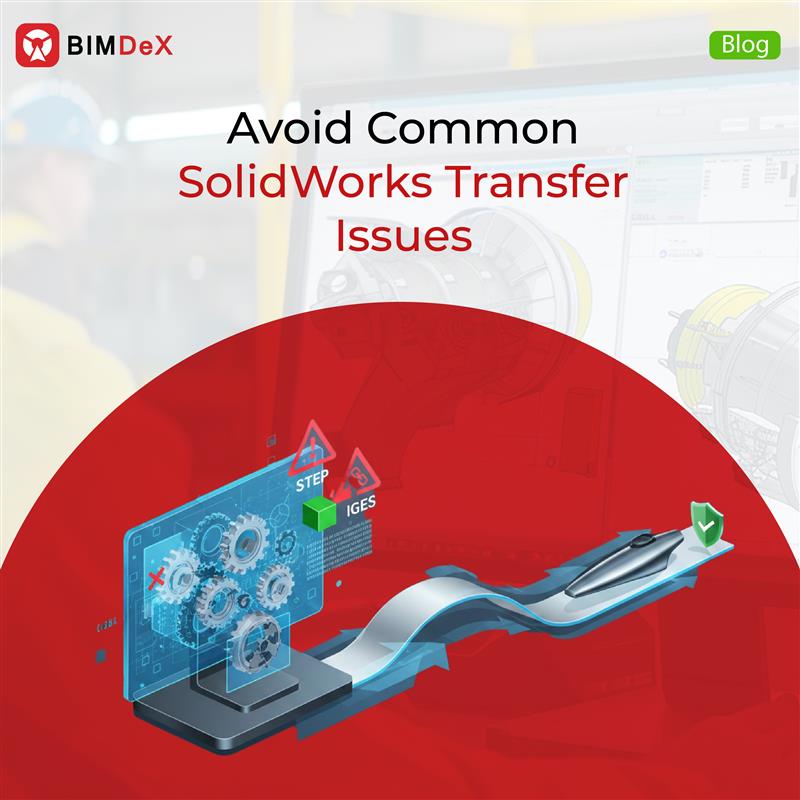
When it comes to the manufacturing sector, SolidWorks is the most preferred and utilized software by CAD designers. When translating the design data from one software to another is important for a project, in this blog, we will walk through the hindrances in converting SolidWorks models and the common pitfalls that come in between. Without stopping there, we will discuss deviating from the hindrances with BIMDeX by the side.
SolidWorks to multi-platform conversion! What is it?
SolidWorks is one of the most prominent manufacturing design software programs used by numerous users around the globe. The designs generated through this application have served brilliantly over the years for various projects. However, with the digital revolution taking place, there is a requirement for model translation between SolidWorks and other important design and BIM software.
This can be referred to as SolidWorks to multi-platform model conversion, where the SolidWorks parts and assemblies are transferred into the native files of the respective recipient software solutions.
Principles of Model Conversion
Each software is unique and has a purpose; that said, the respective designs differ in various aspects, among which the file format is the foremost one. When different file format-based software solutions are connected together, it leads to distorted model conversion, where there are high chances of data distortion. This eventually affects the whole purpose of model conversion and the project as well.
An ideal model conversion should be one where the model gets transferred with all its original metadata, precise geometry, measurements, and other important aspects. This can improve the integrity of the model and will be helpful for users, project managers, and other professionals to access the right information for the respective projects.
Common Pitfalls in SolidWorks Model Transfer
Bridging SolidWorks models with various other software will essentially provoke better use cases for the user community, where the transferred data can be accumulated and accessed effectively. The rising Architecture, Engineering, and Construction (AEC) industries require the collaboration of manufacturing solutions, which are primarily backed by SolidWorks. Beyond AEC, SolidWorks plays a vital role in different sectors as well.
For model conversion, users preferred the transfer method of using the IFC and STEP files. With this method, SolidWorks designs can be transferred, but accuracy is a question mark. Common pitfalls that come in the conversion process are inconsistent model transfers, missing geometry, data distortion, non-categorized models, heavy models, consecutive transfer of changes, manual efforts, and extended time consumption. To acquire a credible model conversion, a better and effective way is required, as these misconceptions can sustain the whole project and cause unconvincing delays.
BIMDeX – A Resolution
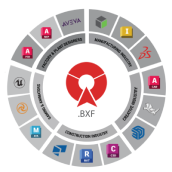
Upon speaking about the limitations or the pitfalls of converting the SolidWorks models, the need for an effective transfer solution is inevitable. BIMDeX is one such impactful, interoperable model conversion solution developed to connect and initiate data translation between various CAD and BIM software solutions.
For SolidWorks, BIMDeX has the exporter and importer solution that initiates the transfer and streamlines the standard model conversion, where no information is left behind.
The exporter solution allows users to transfer the SolidWorks model with a lot of customizable export options. With this intelligent model transfer solution, there are various customizable options with which users can edit the models before exporting them to another software. BIMDeX gives you options like categorization, simplification, exclusion, transfer based on coordinates, model hierarchy control, and many more.
Having mentioned the common pitfalls of converting SolidWorks models, BIMDeX extends assistance with enhanced eminence for each case.
We shall make it clearer;
Categorization
Users can categorize the SolidWorks model before exporting. After exporting to BIM software like Revit, users can find the components accurately mapped to the corresponding Revit categories which helps in clash detection.
Simplification
It is necessary to make the SolidWorks model light before taking it to other software since the manufacturing level details in the model may not be required in other platforms. With BIMDeX, users can effectively simplify the SolidWorks components, make them lightweight, and therefore transfer the model with the desired components and information.
Exclusion
SolidWorks models are compiled with a cluster of components, and when there is a need to transfer them with accurate components, BIMDeX has the exclusion option for that. With the exclusion option, BIMDeX can streamline the workflow where users can easily exclude the model components and transfer only the required components to the recipient software.
Transfer based on Coordinates
With this option from BIMDeX SolidWorks exporter, it is possible for users to translate the SolidWorks model based on user defined coordinate system (UCS) and export to other software without any misconceptions.
Model Hierarchy Control
BIMDeX assists with maintaining the same model hierarchy in the recipient software. Users can also have the control to flatten or collapse the model hierarchy.
Diverse SolidWorks exporter solutions with BIMDeX
BIMDeX has been a resolution for primary pitfalls while converting the SolidWorks models to various other software. That said, here is the list of other SolidWorks exporter solutions provided by BIMDeX;
- SolidWorks to Revit Exporter
- SolidWorks to Rhino Exporter
- SolidWorks to AutoCAD Exporter
- SolidWorks to SketchUp Exporter
- SolidWorks to Civil 3D Exporter
- IFC Exporter for SolidWorks.
Closing Thoughts
The construction and manufacturing industries have been moving forward with absolute excellence in recent times. The need to align with the growth rate is even more important for the user community. To strategically streamline the SolidWorks conversion process, having a reliable solution is even more important.
BIMDeX is the right solution with the eminence to avoid the common pitfalls in SolidWorks model conversion. The intelligent interoperable model conversion application will assist the users in every aspect of SolidWorks model conversion and elevate the whole process. To understand more about the application’s ability, get in touch with BIMDeX.