How would you test a car? On a test track, or on real roads?
Many BIM managers make mistakes with interoperability plugins. They test them only in controlled environments. Choosing a plugin because it “supports Revit and Tekla” on paper.
The demo looks flawless. Export works. Import works.
Then you try to use it in a real workflow. Three weeks into a live project. That’s when the cracks appear.
Why This Matters Early
When interoperability breaks, the cost shows up fast. Rework hours pile up fixing lost parameters. Coordination stalls while teams re-export and re-import. Handoff deadlines slip because models fail validation. And months later, FM and COBie deliverables fall apart because critical data never survived the exchange. Interoperability failures don’t stay technical. They turn into schedule risk and downstream liability.
Why Most Plugin Evaluations Fail
They fail because vendors show a pristine demo with linear “happy path” scenarios (one tool → one format → one receiver). They don’t validate how the plugin features in roundtripping (authoring tool → plugin → analysis/coordination → back). The core problem is not “bad tools” but a bad evaluation method that ignores real workflows, data conditions, and coordination constraints.
Data Integrity Under Pressure
Custom parameters, metadata, classifications:
Does your BIM interoperability plugin silently dropping or mutating critical data when the model is big, messy, and changing fast? Because if that chain breaks, coordination quality collapses even if “most of the data” technically transfers.
What gets lost in translation:
Data loss and distortion during export/import typically show up as:
- Missing or empty fields: Properties not exported due to wrong parameter names, misconfigured mapping tables, or unsupported Psets.
- Wrong or merged semantics: Parameters mapped to the wrong IFC class or common Pset, so disciplines see values in unexpected places or with conflicting meaning.
Red flag: “We support 90% of data transfer” (that 10% will kill you)
Claims such as “we support 90% of data transfer” are dangerous because the missing 10% is rarely random; it is often the most specialized and business-critical information.
Workflow Integration, Not Just Format Support
Position in the workflow
- Clarify whether the plugin feeds clash detection, issue management, submittals, model exchange for consultants, or live coordination meetings, because each use case has different latency and reliability demands.
Cadence and handoffs
- Check if the plugin can handle your true rhythm: daily or intra-day exports for active clash/issue tracking versus slower, milestone-based model handoffs for submittals.
Usability for partners
- Ensure subcontractors and consultants can open, filter, and act on the exported models/issues using their own tools without needing you to “translate” or repair data.
Key Features That Actually Matter in BIM Interoperability Tools
Interoperability breaks down in real projects, not demos. These are the features that decide whether a tool survives live coordination or creates rework.
Deep Integration with Core BIM Authoring Tools
The tool must work inside the software your teams already use. Revit, AutoCAD, Tekla, SolidWorks. This enables models and data to move across platforms without manual handoffs, reducing errors and inconsistencies during conversion.
Example:
A structural team updates a Tekla model mid-week. The BIM manager pulls the changes into Revit without rebuilding links, remapping parameters, or recreating views.
Reliable Support for Multiple File Formats
An effective collaboration tool must support multiple file formats (such as IFC, DWG, and DGN) so teams using different software can work together without friction.
Example:
An infrastructure consultant delivers IFC models while the architect works in Revit and the fabricator uses Tekla. The coordination model stays aligned without stripping shared parameters or levels.
Automated Data Conversion (Not Manual Cleanup)
Data transformation should be largely automated to eliminate manual re-entry. Automated conversion and export reduce both time spent and human error.
Example:
Weekly model exchanges run automatically overnight. The next morning, discipline leads review updates instead of fixing missing properties or corrupted elements.
Real-Time or Near Real-Time Model Updates
Real-time data sharing lets teams collaborate on layouts, updates, revisions, and change reviews as they happen.
Example:
An MEP clash is resolved in the morning. By afternoon, the structural and architectural teams see the update reflected in their coordination views without re-importing models.
Cloud-Based Access for Distributed Teams
By default, many BIM interoperability solutions offer cloud-based integration, enabling teams to collaborate regardless of location.
Example:
Design happens in one country, detailing in another, coordination in a third. Everyone works off the same live data, not emailed files or outdated local copies.
Questions to Ask Vendors (That Actually Matter)
Use these prompts to force vendors to show how the plugin behaves under pressure in a GC context.
- Ask: “Show me a failed export and how your plugin handles it.” (For example, a misplacement issue for U and C shape structural column geometry in Revit importer.) Watch how errors are reported, what logs you get, and how recovery or remapping works.
- Ask: “What’s your roadmap for [your exact authoring tool/version/IFC flavor/COBie requirements]?” Press for timelines, dependencies, and how often they ship compatibility updates.
- Drill into support: “Who’s my support contact when things break ?” Clarify if you get named contacts, regional hours, SLAs, and escalation paths.
- Ask: “Can I talk to three customers who use this in a GC environment?” Insist on references doing federated models, trade coordination, and issue tracking, not only design studios.
- Then pin down money and scope: “What’s included in support, and what costs extra?” Distinguish bug fixes vs. ‘consulting’, mapping setup, training, and custom integrations.
- Finally, avoid feature-by-feature demos; say: “Walk me through your worst customer support case this year – what broke, how long to fix, and what you changed in the product afterwards?” This reveals maturity, honesty, and how quickly they learn from failure.
Why BIMDeX?
BIMDeX is built specifically to streamline data exchange across multiple CAD and BIM applications. It provides importer and exporter plugins that convert models between platforms quickly and reliably, without breaking structure or data. This makes it well-suited for teams working across mixed software environments that need consistent, repeatable model conversion.
Key Features:
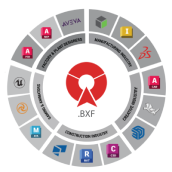
- Extensive software support: BIMDeX connects platforms such as Revit, SolidWorks, Tekla, Inventor, Plant 3D, Creo, and more.
- Customizable data conversion: It supports highly accurate data transfer with configurable conversion controls, ensuring information is preserved throughout the process.
- User-friendly plugins: BIMDeX provides plugins that simplify data exchange without disrupting existing workflows.
Why Consider It:
- One-to-many and many-to-one conversions let you translate models both ways across different software without custom scripts.
- BIMDeX maintains custom parameter mappings through roundtrips without manual remapping
Don’t judge interoperability on a test track. See how BIMDeX performs inside real, messy projects, preserving data, reducing cleanup, and surviving live workflows.
Test BIMDeX against your current model. Book a consultation with our experts today!
TL;DR
Don’t choose a BIM interoperability plugin based on a clean demo or a compatibility checklist. Test it inside real workflows. Big models, custom parameters, roundtripping, tight deadlines. If it drops data, breaks coordination, or forces manual cleanup, it will cost you time and money.
Direct Answer
Choosing a BIM interoperability plugin is not about whether it “supports” Revit, Tekla, or IFC. It’s about whether it survives real project conditions. Large, messy models. Multiple disciplines. Tight coordination cycles. Legacy data.
The right plugin must preserve custom parameters, classifications, and model intent, support reliable roundtripping, and fit your actual handoff cadence without constant manual cleanup.
FAQs
- How do I evaluate a BIM interoperability plugin beyond demos?
Test it with real project models. Large files, custom parameters, version mismatches, and roundtripping. Watch what breaks, what gets logged, and how much manual cleanup is needed.
- What usually breaks first during model exchange?
Custom parameters, classifications, object semantics, and relationships. Geometry often survives. Coordination intelligence usuallydoesn’t.
- What does a failed exportactually causeon a project?
Missed clashes, wrong issue assignments, delayed coordination cycles, and rework to repair models before handoff.
- How do I pressure-test a plugin before go-live?
Run messy models, force errors, changeversions mid-cycle, and validate outputs against coordination and COBie requirements. Don’t accept “happy path” tests.
- How should I compare interoperability tools properly?
By reliability under pressure. Data preservation, recovery from failure, support response, and impact on coordination timelines. Feature lists are irrelevant.